Pushtoo
Pushtoo turns an Ableton Push 2 on Linux into an instrument for any synth, DAW or hardware rig: plug in Push, pick the Pushtoo Out port, and play. Scales stay in key, every chord pad sounds good, the touch strip strums, and the screen shows what your hands are doing.
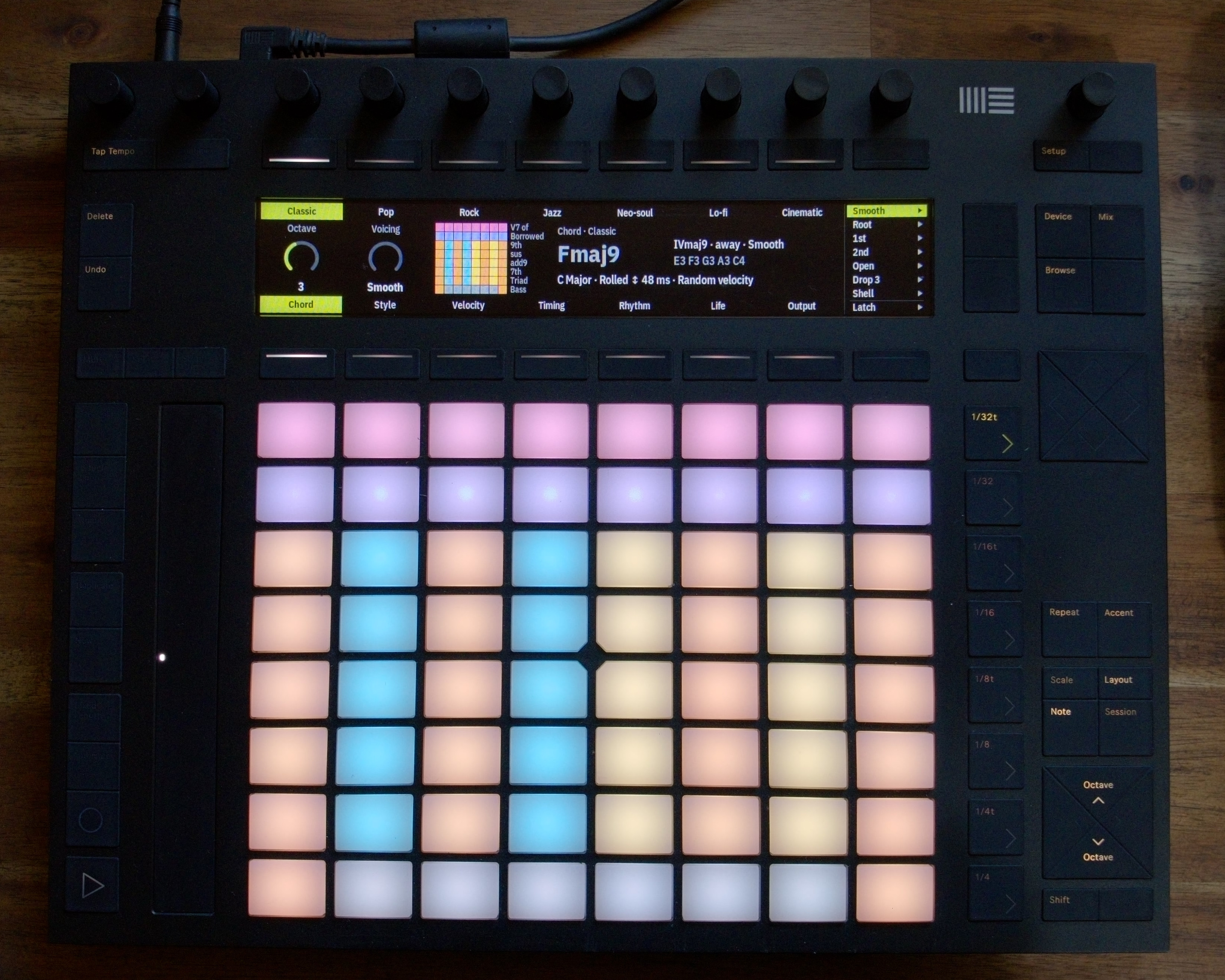 The chord grid: the screen shows Fmaj9, the pad map and the voicing buttons.
Install Getting started GitHub repo
Pushtoo is for playing. If you want deep control of a DAW from the Push (tracks, devices, clips, mixer), use DrivenByMoss for Bitwig or Reaper instead; the two can’t share the Push at the same time.
Status: beta (0.1.0b5). Testers welcome: see Beta testing.
New here?
Install Pushtoo with one command, then follow Getting started: from plugging in to your first chords in a few minutes.
Documentation
Start
- Installation: requirements, the installer, the background service, upgrading and uninstalling
- Getting started: first sound, the three layouts and the two modes
- Controls: every button, encoder and shortcut
Playing
- Chord grid: a full chord on every pad, voicings, chord sets and scales
- Keyboard and Drums: the other two layouts, velocity and hardware outputs
- Rhythm and clock: note repeat, the arpeggiator, tempo and MIDI clock
- Life: a Game of Life that plays your pads, and standby
- Knobs and Mix: named CC knobs and fader pages
Customize
- Setup: pad feel, aftertouch, brightness, standby and clock
- Profiles: YAML profiles, the browser editor and Undo
- Themes: every screen and LED color
- Files: where Pushtoo keeps everything
Help
- Troubleshooting: symptom-first fixes
- Beta testing: a 20-minute test run and how to report back
- Development: building, testing and the project layout
License
Pushtoo is free software under the GNU General Public License, version 3 or (at your option) any later version. It’s a fork of Pysha by Frederic Font; see Credits.