Knobs and Mix
Knobs mode
Press Device for Knobs mode: up to 8 pages of 8 named controls, defined in your profile. Each column’s top button glows in that control’s color. The pads keep playing, so you can play and tweak at once.
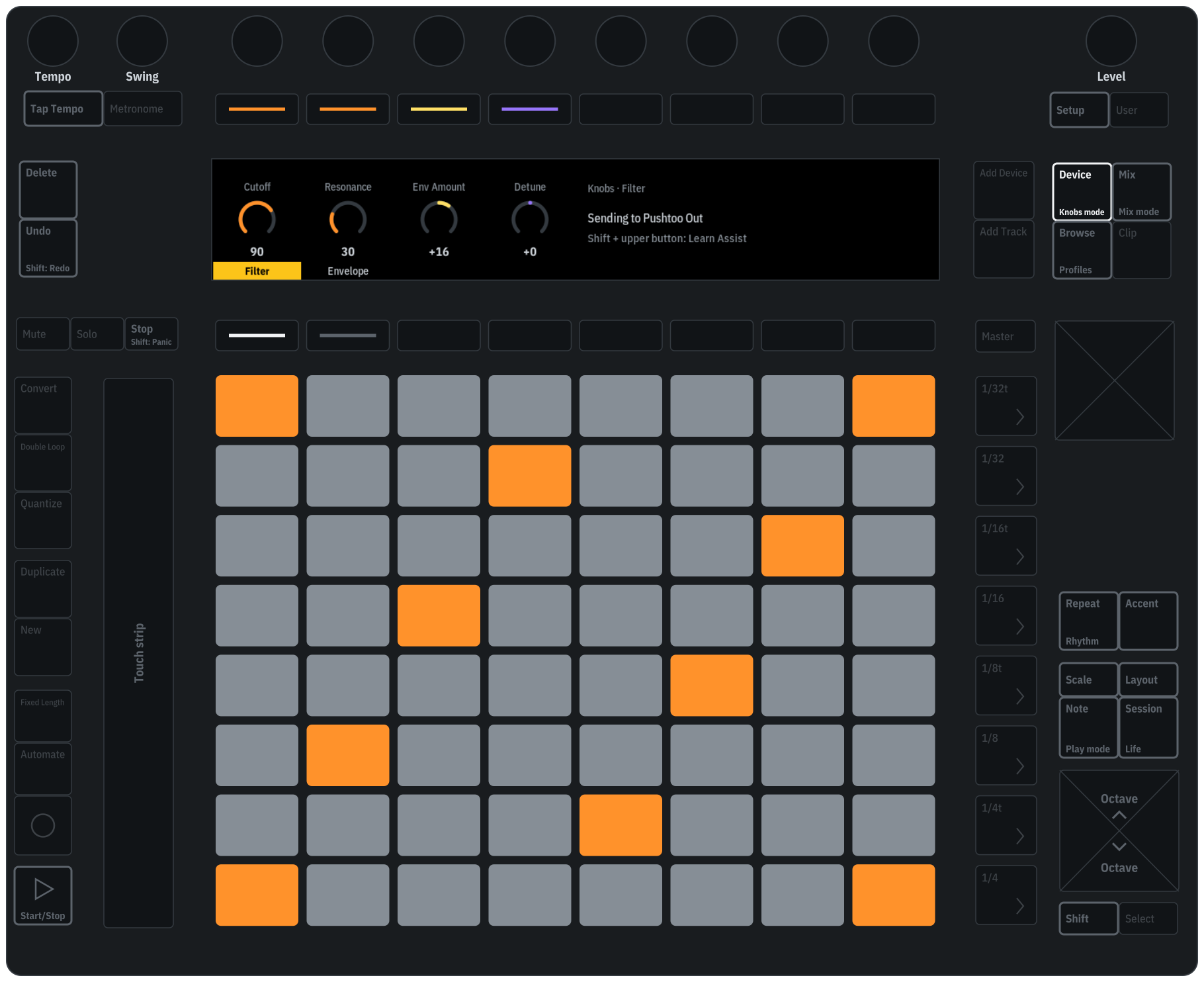 Knobs mode: a profile’s Filter page. The light above each knob is its color; the pads keep playing.
Without a knobs section in your profile you get 8 pages of 8 knobs on channels 15 and 16, using MIDI CCs that no synth treats specially, so nothing changes until you map it.
Mapping a knob in your DAW
- Start your DAW’s MIDI learn.
- Hold Shift and tap the button above the knob.
Pushtoo sends just that control’s CC, three times, so the DAW catches the right one.
 Hold Shift: the buttons above the knobs send that knob’s CC for MIDI learn.
Resetting a knob
Hold Delete and touch a knob to reset it to its default. The screen says so while Delete is held.
 Hold Delete, then touch a knob to reset it.
Mix mode
Mix mode (an extra, on the Mix button) turns the 8 encoders into fader CCs, with mute and solo toggles on the top two pad rows. Each fader shows M and S chips that light red and blue, the same as their pads.
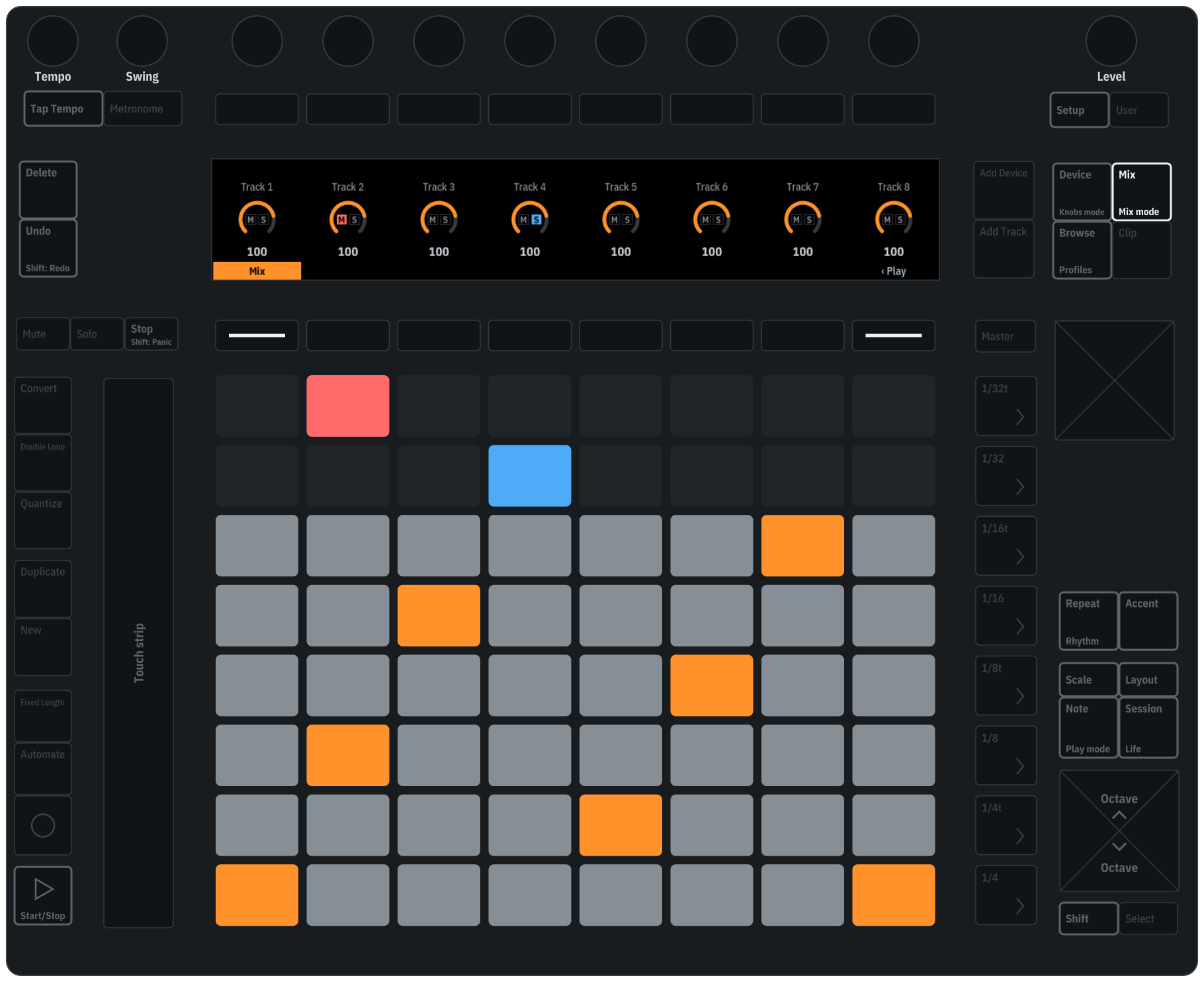 Mix mode: faders on the encoders, a mute (red) and a solo (blue) on the top two pad rows.
Press Mix again, or the ‹ button at the bottom right of the display, to go back to where you were.
Master level
The master encoder (top right) sends a master level CC in every mode.
 Touch the master encoder to see the level.