Setup
Press Setup to tune the Push to your hands. Pads keep playing while you’re there, so you can feel every change. Press Setup again, or ‹, to go back.
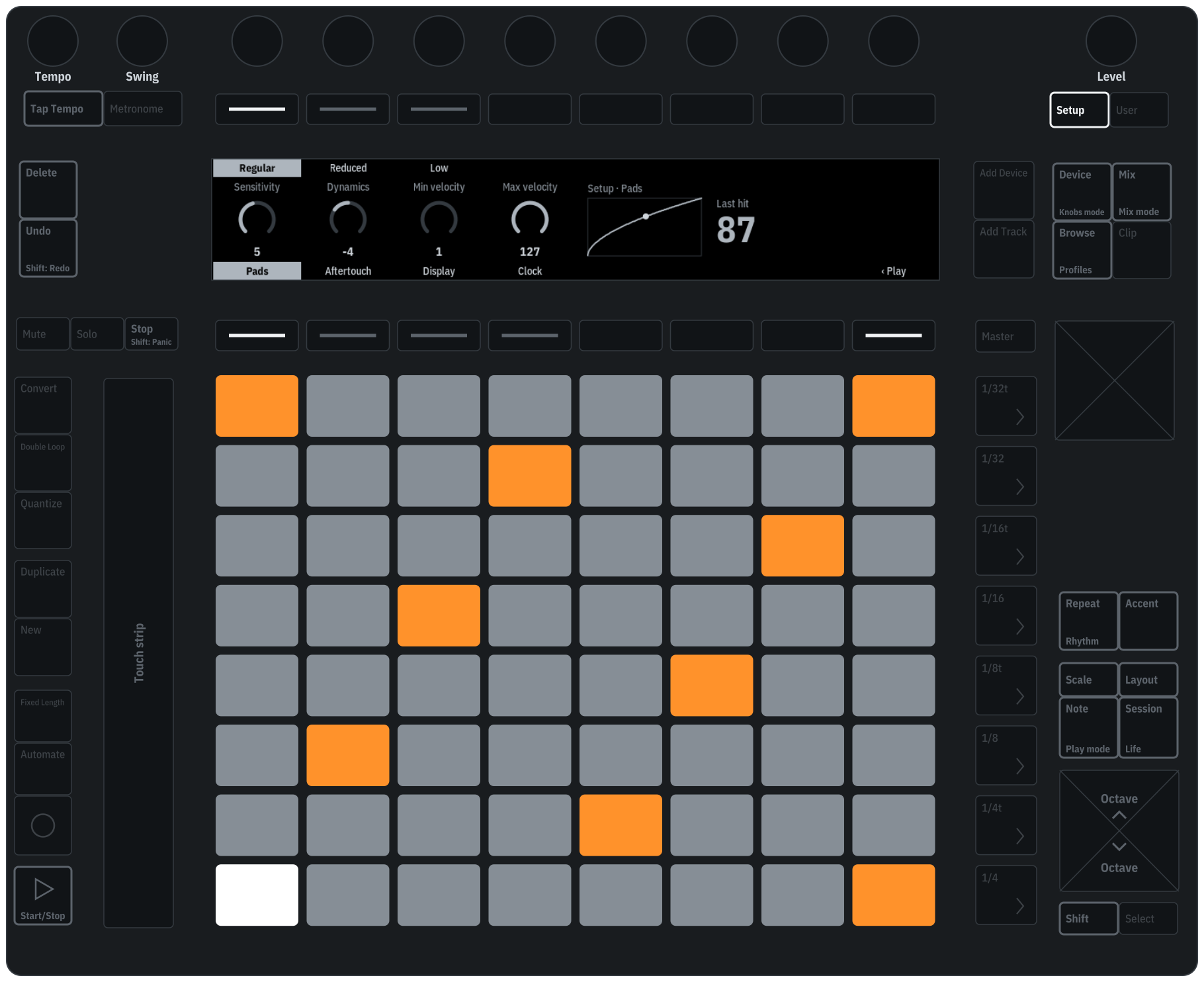 Setup › Pads: the velocity curve, with a dot where your last hit landed.
Pads
- Sensitivity: how little force reaches full velocity.
- Dynamics: below 0, light touches play louder; above 0, you have to dig in.
- Min and Max velocity.
The screen draws the curve and puts a dot where your last hit landed.
Above the display, Regular, Reduced or Low sets the Push’s own pad sensitivity. Lower settings stop neighbouring pads from triggering and stop double hits.
Aftertouch
- Poly: each pad’s own pressure.
- Channel: one pressure for all the pads, for synths that only read channel pressure.
- Off.
Two more controls set where pressure starts and where it reaches full.
 The Aftertouch page.
Display
- Pad brightness, button brightness and screen brightness. On USB power alone, Push dims itself whatever these say.
- Standby: how long the Push waits with nothing played before the pads and screen start to animate (10 minutes by default, or Off). The buttons above pick the scene: Glow (the default), Life or Drift. Colors picks Glow’s color from the UI’s own: Play, Knobs, Mix or Mono. See Standby.
 The Display page.
Clock
Whether Pushtoo sends MIDI clock, and whether it follows clock arriving on Pushtoo In.
 The Clock page.
Pedal
A sustain pedal in the Push’s foot-switch jack sends CC 64 (127 down, 0 up) to wherever the pads are playing: the current layout’s output and channel. Your synth does the sustaining, as with a keyboard’s pedal. Lifting the pedal sends to the same place the press went, even if you changed layout while it was down. While it’s held, the details line says Sustain. Shift + Stop (Panic) lets go of it too.
Some pedals read backwards: down at rest. Press the pedal on this page and the screen shows Down or Up. If that’s the wrong way round, pick Inverted above the display (Normal is the default).
Where Setup is saved
Setup belongs to your Push, not to a profile, so it’s the same whichever profile is loaded. It’s saved in the state file. A profile’s play: {velocity_curve: ...} only sets the starting feel before Setup has been used.